WolfStorm
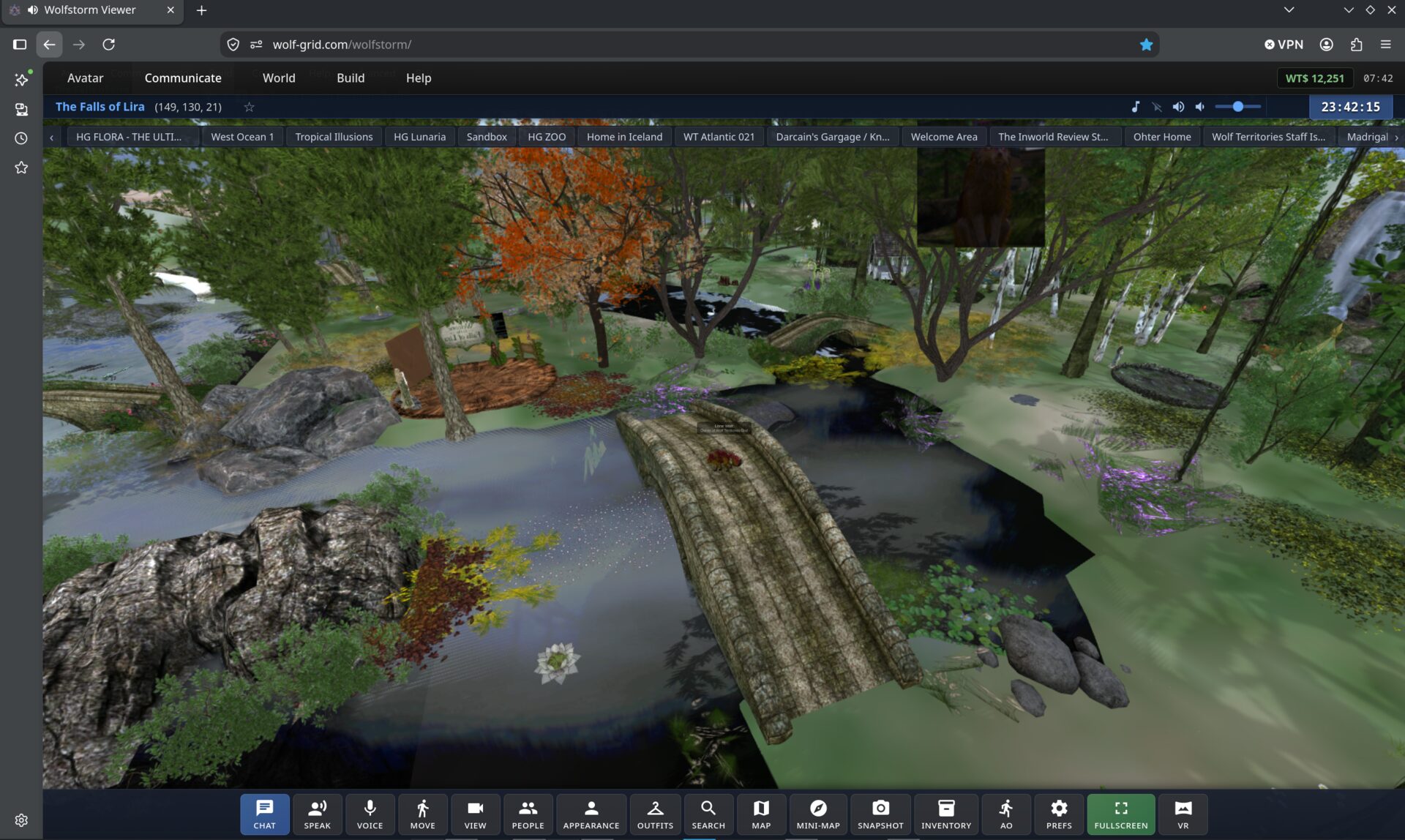
Our own 3D viewer that runs inside the browser you are reading this in. No installer, no download — click and you are standing in Wolf Territories Grid.
Launch WolfStorm (opens in a new tab)Free to play. Works best in Chrome, Edge or Brave on a desktop or laptop, and runs on phones and tablets too, with touch controls.
WolfViewer
Our full-featured 3D viewer for Wolf Territories. Install it once, jump straight in — no setup needed. Works with any OpenSim grid.
Current release: Space Rabbit (w65, 11 October 2026) — what's new
Free to play. Windows 10+, macOS, and Linux (64-bit). Open source — built for this grid.
Not sure which Windows build? Choose Windows — it runs on any 64-bit PC. Windows (AVX2) is a little faster, for CPUs with AVX2 (2013 and newer); on an older CPU it will not start, so use the plain build.
On Linux? Install from our repository One command for Ubuntu, Mint, Debian, Fedora, openSUSE, Arch and Manjaro. Updates then come with your system's normal updates.From Bouncing Panda on, WolfViewer updates itself on Windows and on a Linux download: when a new version is out it asks once, downloads it in the background and installs it on restart.
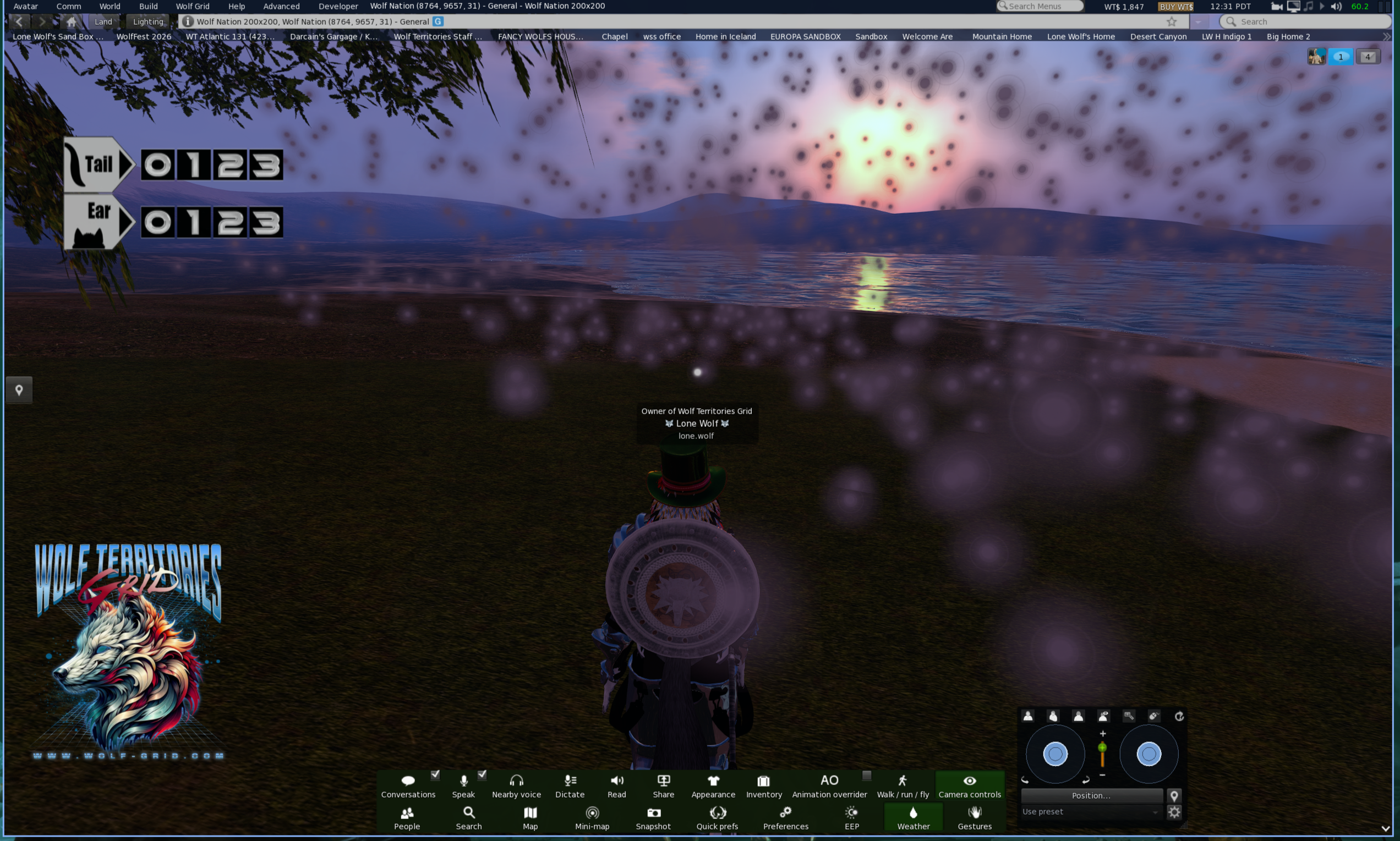
What WolfViewer adds over standard Firestorm
WolfViewer is built from the same Firestorm 7.2.4 source, so everything Firestorm does still works. These are the extras.
Wolf Territories needs Wolf Territories Grid. On other grids that feature switches off and you get Firestorm's own behaviour.
Interface & controls
- WolfGlass skinDark slate and lime interface matching wolf-grid.com, with translucent floaters
- Transporter teleport effectA shower of light around your avatar instead of a loading screen
- Analogue joysticksMouse or touch sticks for moving and the camera; a Buttons tab brings Firestorm's controls back
- Photo EffectsSepia, Noir, Vintage and more, plus Picasso, Van Gogh, Monet, Seurat, Cartoon and Comic styles, in snapshots too
- Spread across all screensOne click stretches the viewer over every monitor you have, on Windows, macOS and Linux
- Invisible ModeWolf TerritoriesAppear offline to friends, instant messages and friend requests while you are in world; switch it on before you log in or at any time after
Vehicles & games
- Car, truck and bike dashboardsWolf TerritoriesA real speedometer, rev counter and gears while you drive, with an on-screen wheel and pedals, or a steering wheel, pedals or gamepad
- Flight Mode and Sailing ModeWolf TerritoriesAn airliner-style flight deck and a ship's deck, with an autopilot that takes you to any region you type in
- Speedboat, spaceship and submarineWolf TerritoriesA speedboat helm, a spaceship display with a rocket mode, and a submarine helm with sonar
- Airports windowWolf TerritoriesSearch the grid's airports, teleport to one, or fly there on the autopilot
- Tower VoiceWolf TerritoriesThe control tower talks to you on the autopilot, with spoken calls and height callouts
- Wolf Roleplay Game ModeWolf TerritoriesA game display across the bottom of the screen with health, stamina, an action bar, weapons and a bag. Switch it on yourself, or it comes up on regions that use the game
Water & sea
- Real waves on every graphics settingWolf TerritoriesWaves drawn as geometry, not a flat plane with a normal map
- Spectral wind sea (FFT)Wolf TerritoriesGPU-computed wind waves and whitecaps every frame
- Surf up to 30 mWolf TerritoriesBreakers that shoal, curl and run in; region holders paint where surf goes and how high
- Natural lakes, streams and waterfallsWolf TerritoriesWater follows the terrain's drainage lines and pools in hollows
- Underwater effectsWolf TerritoriesSnell's window, sunlight shafts and caustics on the sea floor
- Boats and boards ride the swellWolf TerritoriesBoats, ferries and surfboards rock on the waves; propeller wash and wake behind them
- Open sea, no region edgesWolf TerritoriesSail, swim or fly off any region and keep going across open water until you reach the next region or come round the other side of the grid
Weather & sky
- Jimmy Olsen's Automatic EnvironmentWolf TerritoriesRegion owners pick a real place on Earth: the sun, moon phase, stars, clouds, wind, rain, snow, fog and thunder there follow it live
- Region and parcel weatherWolf TerritoriesRain, snow and fog set by the region, a parcel or a script, with synthesised rain sound
- Northern lightsWolf TerritoriesAn aurora at night, in green, red, purple, blue, pink or many colours
- ThunderstormsWolf TerritoriesForked lightning, with the thunder arriving at the speed of sound
- Settling snowWolf TerritoriesSnow builds up on the ground while it falls and melts after it stops
- Never rains indoorsWolf TerritoriesRain and snow stop under roofs, including mesh buildings
- Your own off switchWolf TerritoriesOne Weather button turns the region's weather off in your viewer
World map & travel
- Globe world mapWolf TerritoriesZoom out and the map becomes a globe; drag, flick to spin, and fly to a search result like Google Earth
- Moving sea on the mapWolf TerritoriesThe water on the World Map is animated, not a flat tile
- Map imagesWolf TerritoriesRegion owners drag a picture onto their region on the map for everyone on the grid to see
- 3D terrain mini-mapOrbitable terrain view; double-click to teleport
- Tilting world mapLean the map up to 60 degrees like a 3D map
- Teleports retry onceWhen the destination region times out, the teleport tries again on its own
- Wolf Territories built inLog straight in with no grid address to paste; add any other OpenSim grid too
- My Suitcase on hypergrid tripsWolf TerritoriesLandmarks you make on another grid are saved, and what you pick up on a trip moves into your normal folders when you come home
Building & creating
- Terrain paintWolf TerritoriesPaint roads, tracks and water onto the ground, with six texture slots
- Wave painterWolf TerritoriesAbout Land > Waves: paint surf, open, calm or no waves cell by cell
- Simple model uploaderWolf TerritoriesDrop in an OBJ, glTF or GLB with no LOD sliders; an Old Upload button keeps Firestorm's
- AI script writer and AI modelsWolf TerritoriesDescribe a script or an object and it is written or built for you, paid in Wolf Credits
- LSL autocompleteFunction, event and constant names offered as you type, with signatures as tooltips
Voice, chat & sound
- WolfVoice positional voiceWolf TerritoriesYou hear people where they stand; other grids use their own voice service automatically
- Chat translatorChat translated both ways; what you send goes out in every language the people in that chat write in. No API key
- Dictation and read aloudWolf TerritoriesSpeak into nearby chat, and have chat and IMs read out to you
- Screen shareWolf TerritoriesShare your screen onto the face of a prim for people around you
- Music stream titles and coversSong titles and album art show in the viewer (switch on in settings)
- Choose your speakersPick the sound output device; sound comes back when you replug a headset
- Radio StationsA radio with genres and featured Wolf Territories stations, and ten presets of your own, for your land's music
- Wolf DJ and Talk Show deskWolf TerritoriesA mixing desk that streams your voice, music and a playlist live to your own radio stream
Regions & performance
- Lag DetectorFor region owners and estate managers: what is slowing the region down, in plain words, with buttons to deal with it
- WatchWolfWolf TerritoriesFor region owners and estate managers: everyone on your regions in one sortable list, with IM, eject, ban and teleport
- Huge regionsRegions up to 1,048,576 m across, with terrain drawn in blocks so the frame rate holds
- 4,096 m draw distanceSee four times further than the usual 1,024 m limit
- See to the horizon when you flyWolf TerritoriesFar-off land drawn in relief in its own textures, the sea out to the true horizon, and the sky thinning to space as you climb
- Region water switchWolf TerritoriesRegion holders can turn the generated lakes, streams and waterfalls off
- Starts on weaker graphics cardsSteps down to what the card can do instead of crashing, and says what it gave up
- Graphics HelperShows what looks wrong, lets you switch each graphics feature on and off with one button to put it all back, and saves a file you can send us
Updates & platforms
- One-click updatesDownloads in the background and installs on restart on Windows and Linux; on a Mac it opens the new disk image
- Signed updatesThe release list is signed, and each download's checksum is checked before it installs
- Linux package repositoryInstall with one command on Ubuntu, Mint, Debian, Fedora, openSUSE, Arch and Manjaro
- Native Wayland on LinuxSharp at fractional scaling, with a switch to go back to X11
- AVX2 buildsA faster build for newer processors on Windows and Linux
Standard Firestorm 7.2.4
- Mesh bodies, attachments and AO
- PBR materials and Linden trees
- LSL editor, building & region tools
- RLVa, full inventory, drag-to-give
- All Firestorm preferences and floaters
- Media on prims, audio streams, screen capture
- Flat world map, 1,024 m draw distance, flat-plane water
…and everything else Firestorm has. WolfViewer carries all of it.
Both viewers are full 3D environments
Every toolbar control works in both WolfStorm and WolfViewer. Here is what you get.
Chat & IM
Local chat and instant messages.
Speak & voice
Talk to the people around you.
Move & camera
Walk, fly and swing the view.
Look & outfits
Appearance editor and outfit switching.
Inventory
Your whole inventory, ready to rez.
Map & search
World map, mini-map and grid search.
Snapshots
Grab a picture of where you are.
Fullscreen & VR
Go fullscreen, or into a headset.
WolfViewer is free and open source — built from Firestorm and pre-configured for this grid. All downloads.
Using plain Firestorm? Add the grid
WolfViewer already has the grid built in — this is only for the standard Firestorm download.
With Firestorm installed, click here to add the grid automatically.
If that does nothing, add it by hand: Viewer → Preferences → OpenSim,
paste http://grid.wolfterritories.org:8002/
into the Add New Grid box and click Apply. Wolf Territories Grid then
appears in the grid list at the bottom of the login screen.
Older computers that cannot run Firestorm 7
Firestorm 6.6.14 is the last build for lower-spec machines:
No avatar yet?
Membership is free, your inventory arrives pre-loaded, and you land on the Welcome Mountain where a Peacekeeper can help you find your feet.