WolfStorm
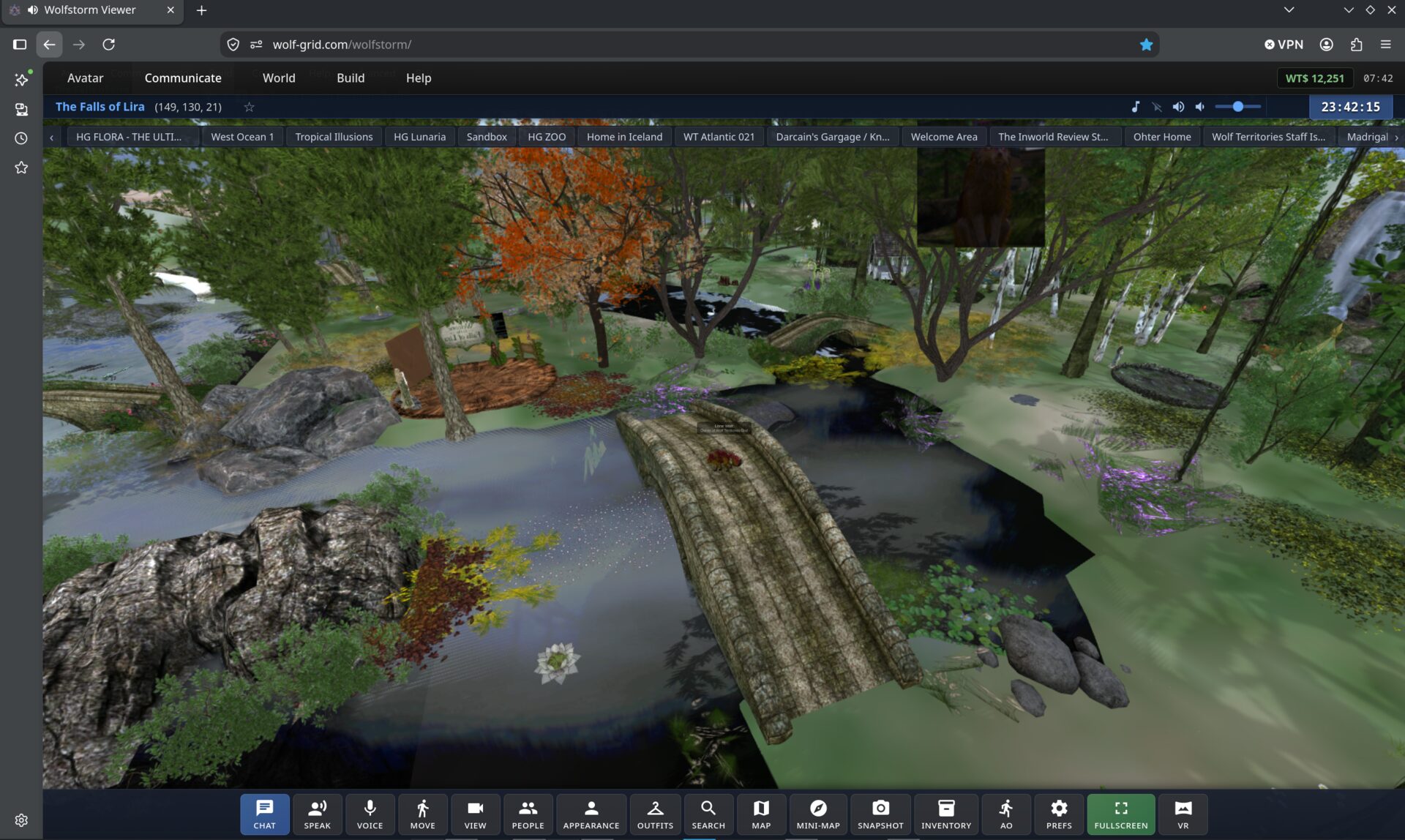
A full 3D viewer that runs in a browser tab. No installer, no 600 MB download, nothing to keep updated — open a link, log in with your avatar, and you are standing in the grid.
We wrote it ourselves, from the ground up, in JavaScript and WebGL. It speaks the same protocol as a desktop viewer, so you share the same world, the same inventory and the same voice channel as everyone else.
Free. Works best in Chrome, Edge or Brave on a desktop or laptop, and it runs on phones and tablets too, with on-screen touch controls. A reasonably modern graphics card helps, as it would with any viewer.
The shortest possible path in
Nothing to install
Send someone a link and they are in-world a minute later. No download, no installer, no admin rights, nothing to update next month.
Works on locked-down machines
School, college and work computers usually will not let you install a viewer. A browser tab is a browser tab — which is why our education regions lean on it.
The same world
Not a cut-down side experience. Same regions, same avatars, same inventory, same chat and voice as people on a desktop viewer.
What you can actually do
Chat and IM
Local chat, instant messages, group chat and notices.
Spatial voice
Positional voice through WolfVoice — you hear people where they are standing.
Your avatar
Mesh bodies, attachments, animation overriders and outfits.
Full inventory
Browse, search, wear, rez and organise your things.
Building
Create and edit prims and linksets, with the familiar edit tools.
Script editor
Write, save and compile LSL, with syntax highlighting and error lists.
Map and teleport
World map, region search, landmarks and double-click teleport.
Media and streams
Media on a prim, shared media and audio streams.
Screen sharing
Share a screen or window onto a surface in-world.
Create with AI
Describe a building or a whole region, add a picture if you like, and the AI builds it for you. Paid with Wolf Credits.
AI script help
Describe what you want and the AI writes the LSL script, for 1 Wolf Credit.
Real sky and weather
Region owners can give a region the real weather of a place on Earth. Everyone sees the real moon phase and real stars, with World > Show Astronomy for the constellations.
Globe world map
The world map opens as a globe you spin and zoom into.
Photo Effects
Painterly and colour-grade looks for the whole world, with a strength slider, for snapshots.
Chat translator
Incoming chat translated into your language on our own servers. You can also choose to send in theirs.
Read aloud and dictation
Have nearby chat and IMs read to you, and speak to type (dictation is English). Both run on our own servers.
Radio stations
Browse Wolf stations and genres, listen privately or set one on your land.
Drive, fly and sail
Car, truck and bike dashboards with gears, plus flight and sailing panels and the Wolf Roleplay game mode.
Voice that moves
Your voice stays connected as you cross regions and teleport.
VR — early days
WolfStorm can render to a WebXR headset, and it works, but performance is still well short of where we want it. It is in active development rather than finished — treat it as something to try, not something to rely on. We would rather tell you that than have you discover it.
WolfStorm or a desktop viewer
Pick WolfStorm when
- ✓ You want in now, with no install.
- ✓ You are on a machine you cannot install software on.
- ✓ You are showing the grid to someone new.
- ✓ You are teaching, and everyone needs to be in-world at once.
Pick Firestorm when
- • You are doing heavy building or long content sessions.
- • You want every advanced preference and RLV.
- • You are pushing very dense regions and want maximum frame rate.
Both talk to the same grid, and both share the same voice, so it is not a one-way door. Plenty of people use whichever is nearer to hand.
Try it in the tab you are already in
You need a Wolf Territories Grid avatar to log in, and that is free. If you already have one, you are about thirty seconds from being in-world.